Scientific notation makes very large and very small numbers readable. The distance light travels in a year is about 9.46 × 10¹⁵ metres; a bacterium is about 2 × 10⁻⁶ metres long. Calculators use a compact form called E notation for the same idea.
The format
A number in scientific notation is a × 10ⁿ, where:
- a (the coefficient) is at least 1 and less than 10 in size;
- n (the exponent) is a whole number — positive for big numbers, negative for small ones.
Positive exponents: big numbers
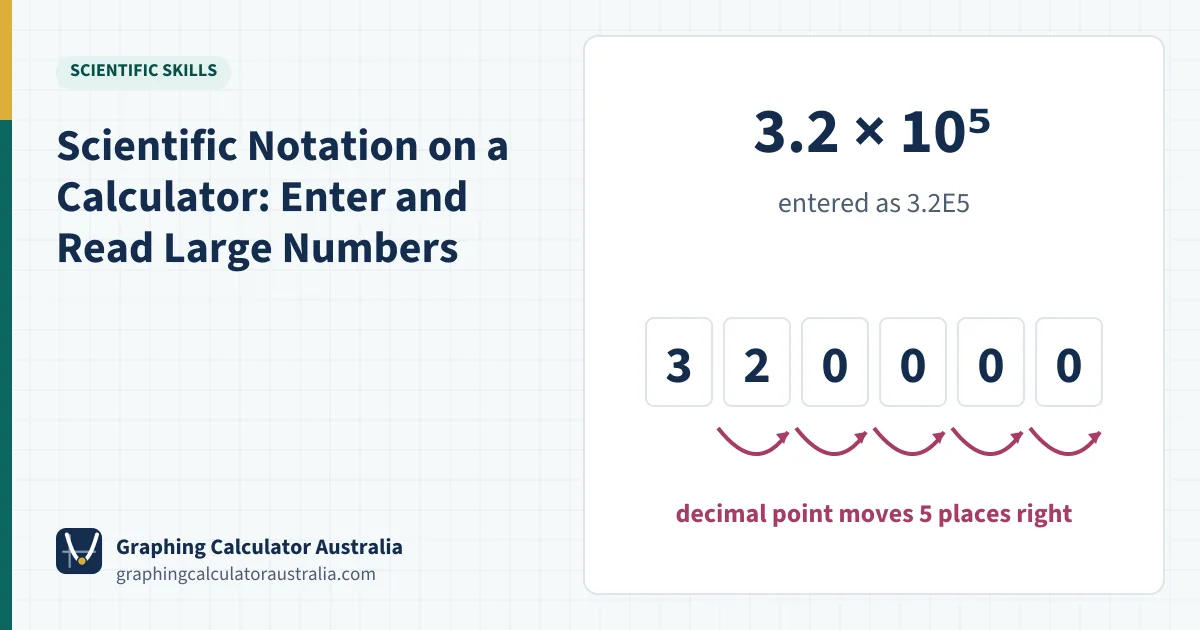
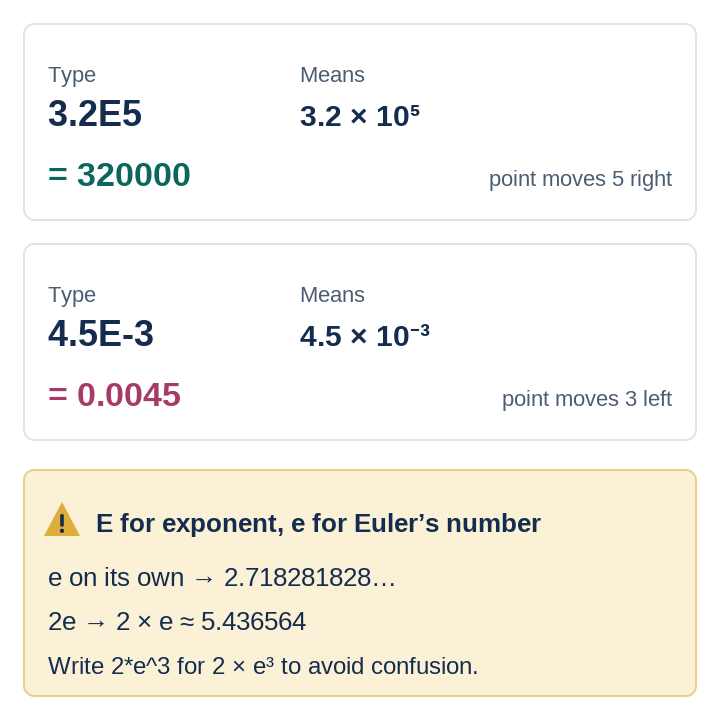
3.2 × 10⁵ means 3.2 × 100 000 = 320 000. The exponent 5 tells you to move the decimal point 5 places right, filling with zeros.
Negative exponents: small numbers
4.5 × 10⁻³ means 4.5 ÷ 1000 = 0.0045. The exponent −3 tells you to move the decimal point 3 places left.
Typing it on our calculator
Use the ×10ⁿ key (it inserts E) or type the letter yourself:
| Meaning | Type | Result |
|---|---|---|
| 3.2 × 10⁵ | 3.2E5 or 3.2e5 | 320000 |
| 4.5 × 10⁻³ | 4.5E-3 | 0.0045 |
| 6.02 × 10²³ | 6.02E23 | 6.02E23 |
| Alternative form | 3.2*10^5 | 320000 |
Reading results
Answers are shown normally when they are of a manageable size. Results of 10¹² or more, or smaller than 10⁻⁹, are shown in E notation with up to 12 significant figures. For example, 2^50 displays as 1.12589990684E15, meaning about 1.126 × 10¹⁵.
When you copy a result into your working, rewrite it properly: 1.126 × 10¹⁵, not “1.126E15”, unless your teacher accepts calculator notation.
E for exponent, e for Euler’s number
The letter e has two jobs, and this is where errors creep in.
- E notation: a number immediately followed by E or e and then a digit (or a sign and a digit) is read as “times ten to the power”. So
2e3= 2000. - Euler’s number: e on its own is the constant 2.718281828…, used in
lnand exponential growth. Soe= 2.718…, and2e(nothing after the e) = 2 × e ≈ 5.436564.
2*e^3, not 2e3. When you mean a power of ten, use capital E so your intention is obvious.Multiplying and dividing in scientific notation
Calculators handle this automatically, but it helps to know the rule: multiply the coefficients and add the exponents.
(3 × 10⁴) × (2 × 10³) = 6 × 10⁷. On the calculator, 3E4*2E3 = 60000000.
(8 × 10⁶) ÷ (4 × 10²) = 2 × 10⁴. On the calculator, 8E6/4E2 = 20000.
Practise reading E notation
Write each calculator display as an ordinary number, then as proper scientific notation.
7.5E3→ 7500 → 7.5 × 10³.1.08E-2→ 0.0108 → 1.08 × 10⁻².6E0→ 6 → 6 × 10⁰ (any number to the power 0 is 1).2.5E-7→ 0.00000025 → 2.5 × 10⁻⁷.
Significant figures
Scientific notation makes significant figures obvious. 3.20 × 10⁵ shows three significant figures; 320 000 on its own does not. Our calculator displays up to 12 significant figures, which is usually more than a question needs — round your final answer to the precision the question asks for, and keep unrounded values (or use Ans) for intermediate steps.
Where it appears in Australian classrooms
You will meet scientific notation in measurement and chemistry (very small masses and concentrations), physics (the speed of light, about 3 × 10⁸ m/s), and finance or population data. The calculator entry is the same in every subject.
Common mistakes
- Typing
3.2*E5. E must follow the number directly. - Moving the decimal point the wrong way for a negative exponent.
- Writing 32 × 10⁴ instead of 3.2 × 10⁵ when proper form is required.
- Confusing
2e3(2000) with 2 × e³ (about 40.17).
Common questions
How large a number can the calculator handle?
Up to about 1.8 × 10³⁰⁸. Beyond that the result is reported as overflow rather than shown as infinity.
Can I use a comma as the decimal separator?
No. Use a full stop, as is standard in Australia: 3.2E5.
How this guide was made: drafted with AI assistance under the site’s editorial policy. Worked examples and plotted figures are computed by the same maths engine as our calculators and checked by automated tests. Found an error? Report a correction.